
Dice Roller: Shake & Roll Dice
Pipi Chick StudioBoard
4.333.00 Reviews
- Version
- 3.1.1
- Installs
- 1.00M
- Age Rating
- Everyone
Screenshots
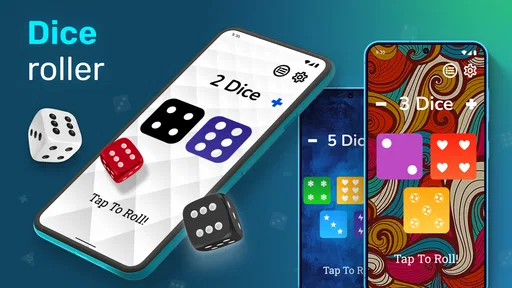
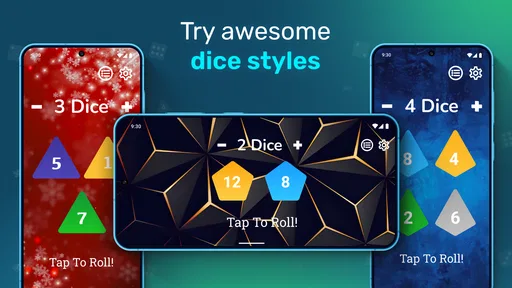
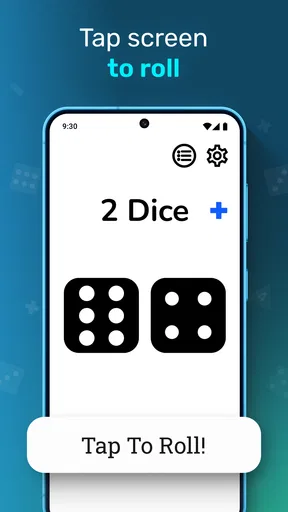
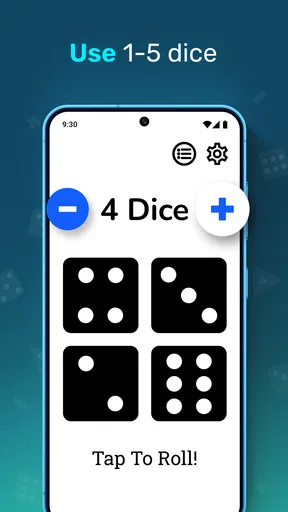



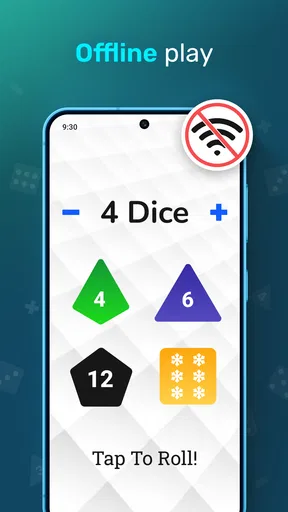
Our Review of Dice Roller: Shake & Roll Dice
 Analysis by Appyee
I like simple tools that solve a small problem without turning it into a project, and Dice Roller: Shake & Roll Dice fits that description well. It is a free board game utility from Pipi Chick Studio, designed for the moments when a physical die is missing, one has rolled under the sofa, or several people need quick results on a shared phone.
At first glance, rolling dice seems too basic to review. In practice, the useful question is not whether the app can produce a random-looking result; it is whether it works smoothly when everyone is waiting for their turn, whether the screen is easy to understand, and whether using it on a household device creates more friction than it removes. My experience is that this app is at its best as a fast replacement for loose dice, especially during casual board-game sessions and spontaneous decisions.
It has reached over a million installs and holds a 4.3 average from roughly four and a half thousand ratings, which suggests that the straightforward idea has found a real audience. The app is free to install, although optional in-app purchases range from under a dollar to almost a hundred dollars per item. That price range is worth remembering if a child or another person regularly uses the same device, since “free” does not automatically mean every possible purchase is irrelevant.
How it works when the whole household is sharing one phone
When one phone has to serve several people, I find it helps to make the handoff part of the game rather than an afterthought. I’d let one person keep the device and call out each result, while everyone agrees beforehand when a roll counts; that keeps turns moving and gives the group a shared view. The next section looks at how that simple routine works in an ordinary game-night setting.
A practical substitute when the physical dice disappear
The most convincing use case is an ordinary evening at home. Someone brings out a board game, but a die is missing. Another person wants to settle who goes first. A child has invented a quick challenge and needs a result immediately. Instead of searching drawers or borrowing dice from another game, I can open the roller, make the throw, show the screen to everyone, and pass the phone along.
That shared-device role changes how I judge the app. A personal productivity tool can assume one user, but a dice roller is often viewed by several people at once. The result needs to be visible long enough for everyone to agree on it, and the interaction needs to be simple enough that a younger player or a guest can take the next turn without a tutorial. The uncomplicated design is a strength here: there is little to explain before the first roll.
It is also useful when a table is crowded. Physical dice can bounce into cards, knock pieces over, or land where nobody is sure what face is showing. A phone-based result avoids that particular mess. The trade-off is that the device becomes part of the game table, so people need to pass it carefully rather than treating the roller like a handful of dice that can be tossed anywhere.
Why rolling several dice changes the experience
The app is not limited to the familiar single-die situation. Its central appeal is the ability to roll multiple dice quickly, which makes it more practical for games that need several results at once. I find this especially helpful when a game uses a group of dice for movement, combat, resources, or a one-off house rule. The phone can replace a missing set instead of only replacing one cube.
There is a subtle advantage in using one screen for a group result: everyone sees the same roll at the same time. With physical dice, one die can be covered by a hand or stop at an awkward angle. With a digital display, the group can read the outcome together before the next person acts. That makes the app a useful coordination aid, not merely a random-number button.
Still, I would not pretend it recreates the full feel of a tabletop game. Physical dice provide weight, sound, suspense, and a satisfying sense of cause and effect. A screen is cleaner and more convenient, but less tactile. If your favorite part of a board game is shaking a cup and hearing the dice tumble, this app is a backup rather than a replacement for the ritual.
Setup boundaries matter more on a shared device
One thing I recommend is deciding who handles the phone before the game starts. On a personal device, tapping around is harmless. On a shared household phone, passing control between several people can lead to accidental settings changes, an unintended store interaction, or simply confusion about whose turn it is. The safest routine is to choose one roller for the round, announce the result clearly, and hand the device back only when the next throw is needed.
This is not a criticism of a specific control system; it is a practical boundary for any app used by several people. Dice Roller: Shake & Roll Dice is deliberately quick, so users may tap without thinking. A parent who lets a child use the family phone should stay nearby during a game, particularly because optional purchases are available. I would not hand over the device and assume that “Everyone” content rating answers every household question about spending or supervision.
For a mixed-age group, it helps to agree on the rules before opening the app. Decide how many dice are needed, who reads the result, and whether a disputed roll is repeated. That sounds obvious, but digital tools can make a turn feel less ceremonial, and a clear routine prevents arguments such as “I did not see that number” or “You changed the roll before I looked.” The app supplies the result; the players still need to manage the social rules.
Coordination without accounts or complicated handoffs
A shared roller works best when it stays separate from personal profiles and game accounts. I can use it as a neutral object in the middle of a group activity rather than asking every player to sign in or create a setup of their own. That is one reason it suits families, roommates, classrooms with informal games, and visitors who do not want to install anything on their own phone for a five-minute decision.
The absence of a personal identity requirement is also useful for quick coordination. If two people disagree about who should start, one person can operate the phone while everyone watches the same outcome. For a board game, this reduces the temptation to let each player roll privately and report only the result that benefits them. The screen becomes a common reference point.
There is a limit, though. A digital roll is only as transparent as the people holding the device. If one player turns the screen away or repeatedly rolls until a preferred result appears, the app cannot solve the trust problem. My advice is to keep the display facing the group and treat each roll as final unless the table has agreed in advance that a dropped or unreadable result does not count.
That small rule is more important than it sounds. With physical dice, a roll that falls off the table has an obvious physical explanation. With a phone, the group needs its own definition of a valid result. Establishing that before play makes the app feel fairer and prevents the roller from becoming the person who controls the outcome.
Age context and everyday trust
The Everyone age rating matches the app’s basic purpose: rolling dice is suitable for a broad audience, and the interaction is easy to understand. I can imagine a child using it during a family game without needing to read a long explanation. The simplicity is valuable for younger players who may be more interested in taking a turn than learning a new interface.
However, age suitability and purchase supervision are separate issues. Since the app includes in-app purchases, I would keep the device owner responsible for any store-related decisions. A child can be trusted to roll for a game while still not being given unrestricted access to every purchase option on a shared phone. That distinction is easy to overlook because the main activity itself is so harmless.
For older relatives or guests who are less comfortable with mobile games, the app is approachable because the task is familiar. They do not need to understand gaming accounts, competitive rankings, or a complicated progression system. I would still demonstrate the first roll rather than assuming everyone will know whether to tap, shake, or choose an option on the screen. A ten-second explanation keeps the group moving.
Trust also includes the question of what happens after the game. If the phone belongs to one person but has been passed around the table, I prefer to close the app or return it to a neutral screen when the session ends. That is not because the roller is unusually intrusive; it is simply good shared-device etiquette. The owner should not have to wonder who last touched the phone or what was left open.
What the current release means for practical use
The current version is 3.1.1, and the app runs on devices using Android 6.0 or later. That makes it relevant for households keeping an older Android phone as a spare or shared entertainment device. Before planning a game around it, I would check that the family phone meets that minimum requirement. An old device can be perfectly adequate for a dice roller, but compatibility still comes first.
The release date of November 20, 2020, gives the app a longer history than a brand-new utility. I see that as useful context rather than a guarantee: an established app may be familiar to many users, but the experience still depends on the phone and the way the household uses it. The important practical point is that this is a focused tool, not a large board-game platform that needs a major setup session.
Because the app is free to install, it is easy to try before committing a household to it. I would test it during a low-stakes game first, making sure the controls are comfortable for the person who will operate it and that the result is readable from the other side of the table. That trial is more informative than deciding based on the store summary alone.
Small workflows that make it more reliable
My first useful workflow is to appoint a “dice keeper.” That person holds the phone, performs every roll, and says the result aloud. It avoids a constant handoff and makes the process faster when the same game needs repeated throws. If the game has several players, the keeper can place the device in the center after each roll so nobody feels that the result was hidden.
A second workflow is to separate setup from play. Before the first turn, choose the required number of dice and agree on how the group will read a multiple-dice result. Once the game begins, do not pause to debate the controls. This is particularly helpful with children, who may otherwise tap around out of curiosity while everyone else is waiting.
A third is to use the app for a single decision rather than forcing it into every part of a game. I might use physical dice for a game that depends on tactile excitement, then open the app only if one die goes missing or a bonus rule needs an extra throw. That hybrid approach preserves the atmosphere while keeping the phone available as a dependable spare.
For a household with several games, I would also avoid treating the app as a permanent replacement box. Keep physical dice where possible, and use the roller when convenience matters more than texture. This is a genuine trade-off: the app saves space and solves shortages instantly, while a real set is easier to share without worrying about battery, screen visibility, or who may touch the device.
Where it is stronger than usual alternatives
Compared with searching for a browser-based roller, a dedicated app feels more direct during a game. There is no need to open a web page and then explain which result belongs to which control. Compared with a general board-game companion app, this one is more focused: I am not asked to build a game session around a particular title or learn extra systems before rolling.
Compared with a random-number generator, a dice-specific tool is easier for a group to understand. Saying “we need three dice” maps naturally to the activity, while a generic number picker may require mental translation. That clarity matters when the phone is being shared by people with different levels of technical confidence.
The alternatives can still be better in particular situations. A physical set wins when tactile feedback and visible randomness are central to the fun. A browser tool may be preferable on a device where installing apps is restricted. A full board-game companion can be the right choice when players need score tracking, rules, timers, or a game-specific interface rather than dice alone.
That comparison helps define the app’s proper role. It is not trying to replace an entire game night. It is a compact answer to the question, “Can we roll the dice right now?” For that narrow job, the lack of unrelated features is an advantage, provided your expectations stay narrow too.
Who should use it and who should skip it
I would recommend it to families who occasionally lose pieces, people who play board games in small spaces, travelers who do not want to pack several dice sets, and anyone who needs a quick neutral decision on a shared phone. It also suits casual groups where the priority is speed and readability rather than a dramatic physical roll.
I would be more cautious about recommending it to serious tabletop players whose games depend on the sound and movement of real dice. It may also be a poor fit for a group that dislikes putting phones on the table or has strict rules about devices during play. In those cases, a physical replacement set is simpler and more enjoyable.
Households should also think about the purchase environment. The app costs nothing to install, but optional purchases mean the device owner should manage access responsibly. If that boundary is uncomfortable, use a physical dice set or a device with the household’s normal purchase protections already in place. The game utility is age-friendly; that does not remove the need for sensible supervision.
My household verdict
After looking at it as a shared-device tool rather than just a novelty, I find Dice Roller: Shake & Roll Dice easy to recommend for casual use. Its best quality is not excitement but cooperation: one phone can provide a visible result for everyone, quickly and without asking the group to learn a complicated system.
I would use it as a backup for board games, a quick tie-breaker, or a convenient way to roll several dice when the physical set is incomplete. I would not replace every real die in the house with it, because the tactile part of tabletop play still matters. The app is most successful when it removes a small obstacle without pretending to be the whole experience.
For a shared family phone, my routine would be simple: an adult or agreed dice keeper operates it, the group decides the roll rules before starting, and the device owner remains responsible for purchase boundaries. With that arrangement, the free app offers a practical, low-effort solution for everyday game nights. Use it when convenience and shared visibility matter more than the feel of real dice.
Verdict
Strengths of Dice Roller: Shake & Roll Dice
- Quick shake-to-roll controls make gameplay feel natural and responsive.
- Supports multiple dice, useful for board games and tabletop sessions.
- Clean interface is easy for beginners to understand.
- Helpful for replacing lost or physical dice during travel.
- Works well for casual rolls without requiring complex setup.
Limitations of Dice Roller: Shake & Roll Dice
- Shake controls may be inconvenient in quiet public places.
- Random rolls depend on the app, not physical dice or shared visibility.
- Small screens can make several dice results harder to read.
- May offer limited customization compared with advanced dice apps.
- Some features or visuals may feel too basic for experienced players.
Other Releases by Pipi Chick Studio
View All
General Knowledge Quiz
Trivia4.4

Flags of Countries: Quiz Game
Trivia4.4

Logo Quiz: Guess The Logo Game
Trivia4.8

Judgment Game: Tricky Puzzles
Trivia4.2
Similar Picks in This Category
View All
Ludo King®
Gametion4.1

Ludo
Yarsa Games4.6

Tile Master® - Matching Game
Higgs Studio3.6

Checkers Online
CC Games4.6

Dominoes
Loop Games4.7

Chess
Chess Prince4.6
Frequently Asked Questions
What is Dice Roller: Shake & Roll Dice used for?
Dice Roller: Shake & Roll Dice is a virtual dice-rolling app designed for board games, tabletop role-playing games, classroom activities, and quick random-number decisions. Instead of carrying physical dice, you can shake or tap your device to generate a result. It is useful when dice are missing, inconvenient to carry, or when you need several rolls in a short time.
How do you roll the dice in Dice Roller: Shake & Roll Dice?
After opening the app, you can generally roll by shaking your phone or using the on-screen control, depending on the available settings and device permissions. The shake interaction makes the experience feel more like rolling real dice, while tapping is more practical when your phone is stationary or when motion controls are not responding accurately.
Does Dice Roller: Shake & Roll Dice require an internet connection?
A basic dice roller normally performs its randomization directly on the device, so an internet connection is not usually necessary for everyday rolls. This makes the app convenient for travel, game nights, classrooms, or locations with weak reception. However, advertisements, analytics, updates, or optional online features may require connectivity.
Can Dice Roller: Shake & Roll Dice replace physical dice for tabletop games?
The app can replace physical dice for many casual board games and tabletop sessions, especially when you need standard dice results quickly. Its digital format is portable and easy to use, but some players may prefer real dice for their tactile feel and visible movement. Before starting an important game, check that the available dice types match your rules.
Is Dice Roller: Shake & Roll Dice free to download and safe to use?
The application may be available as a free download, although the exact pricing, advertisements, and optional purchases can depend on the Android or iOS version and the developer’s current policies. Download it from an official app store, review requested permissions, and check recent user feedback. Avoid unofficial copies, which may contain modified or unsafe files.
Play our best games!


